Room for focused moments
Postpone reminders while a supported meeting app is in the foreground. Add your usual tools to a Deep Focus list, too.
A little room for yourself
A thoughtful break reminder for your Mac. Work and break timers in your menu bar, with room for meetings, focused work, and natural pauses.
macOS 14+ · Apple Silicon & Intel · English & 简体中文

Start with a comfortable rhythm
The defaults are a starting point. Adjust work, short breaks, long breaks, and the long-break interval to suit your day.
Postpone reminders while a supported meeting app is in the foreground. Add your usual tools to a Deep Focus list, too.
Pause the timer when you step away. A natural break that meets your configured duration can count toward a short break.
Break overlays appear across your screens. Snooze, skip, or pause when you need a little more time.
Make it your own
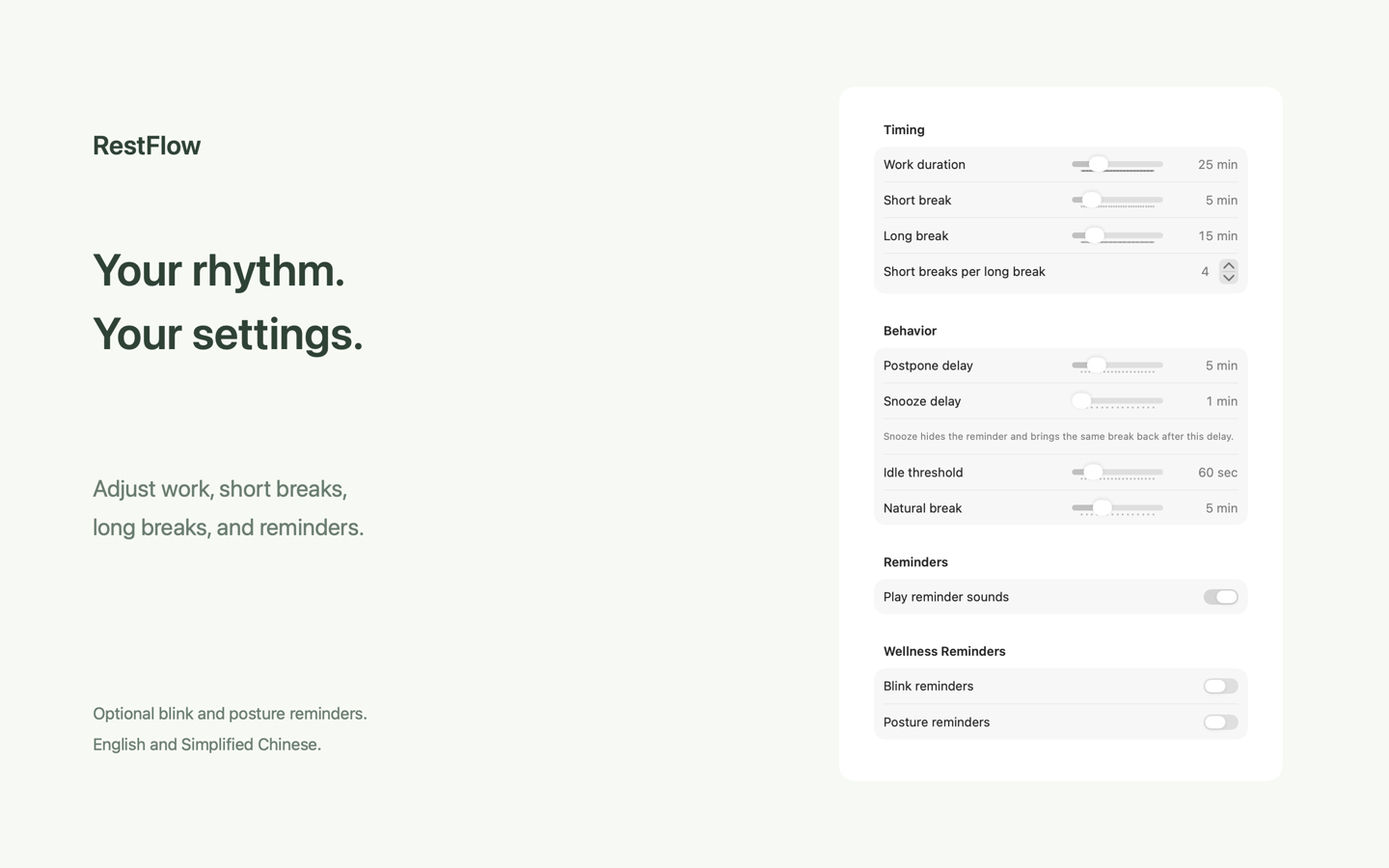
Open Settings from the menu bar and find the balance that works for you.
Set work, short breaks, long breaks, and reminder delays in one place.
Blink and posture reminders are off by default. Enable them whenever they help.
English and Simplified Chinese follow your Mac’s preferences, including its per-app language setting.
Local by design
No account, advertising, or third-party tracking. Preferences and daily statistics are processed locally. The app does not upload your usage records to the developer.
Read the Privacy PolicyA pause, within reach
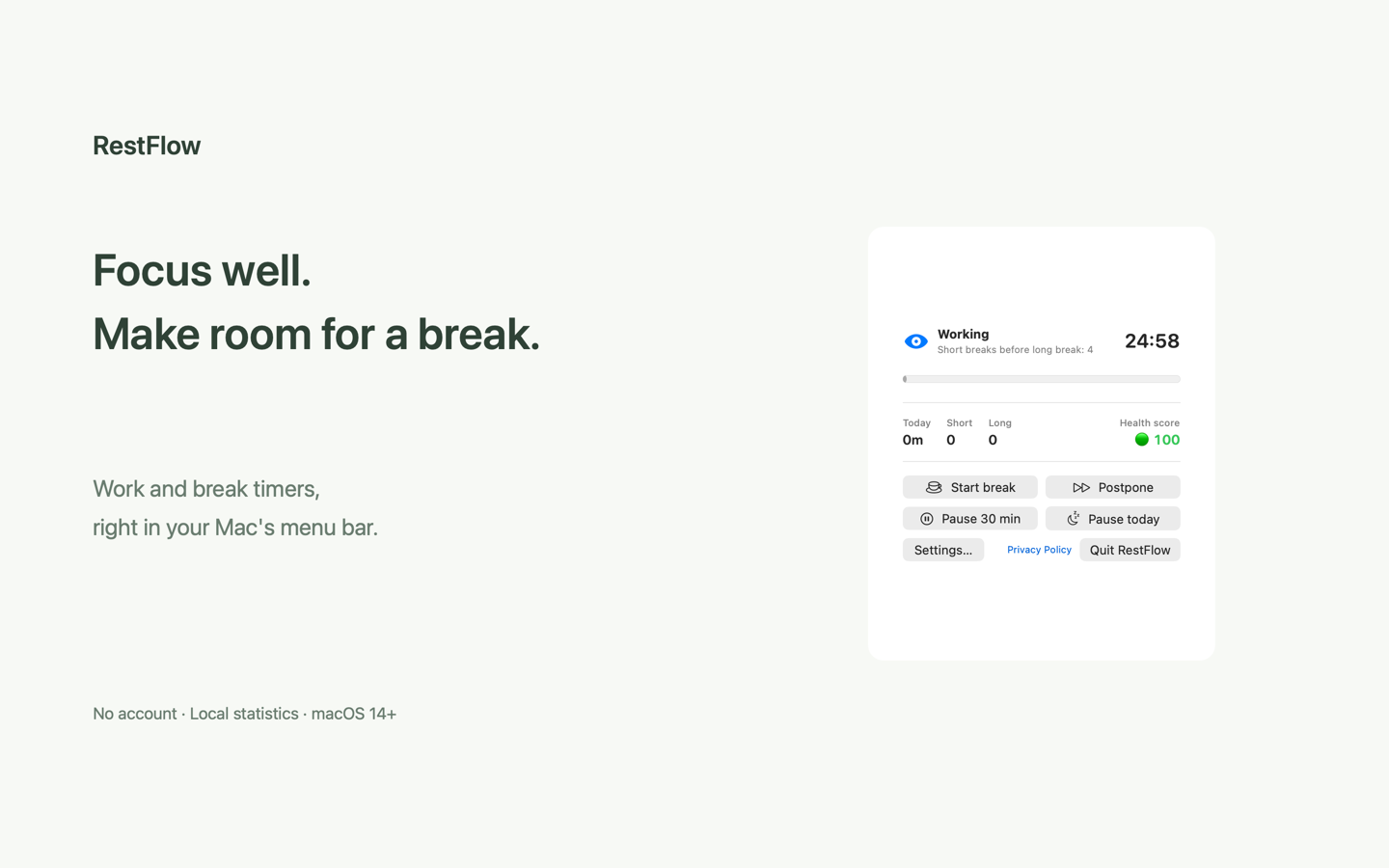
Or click the eye icon in your menu bar to see the remaining time, today’s statistics, and break controls.
RestFlow requires macOS 14 or later and supports both Apple Silicon and Intel. The interface is available in English and Simplified Chinese.
It checks the foreground app’s identifier against supported meeting apps, such as Zoom, Teams, and FaceTime. It does not read meeting content, record your screen, or use the microphone. Browser-based meetings cannot currently be distinguished automatically.
Timers, reminders, and statistics run locally without an account. Your browser connects normally to the hosting service when you visit this website or its help pages; see the Privacy Policy for details.
Look for the eye icon and remaining minutes in the menu bar at the top of your screen. RestFlow has no Dock icon and keeps running when you close Settings.
Choose a language for RestFlow in macOS System Settings → General → Language & Region → Applications, then quit and reopen the app. Otherwise, it uses the best match from your preferred languages.
Free, and made for your Mac
Download it now for Apple Silicon and Intel Macs. The Mac App Store version is still awaiting review.

Signed · Notarized by Apple
Version 0.1.0 (build 4) · macOS 14+ · English & 简体中文
Open the DMG, drag RestFlow to Applications, then find it in your menu bar.
Download DMG